
We have added a new location for accessing your camera’s recordings on the Navistream Web Portal.
In addition to the previous method from Administration by selecting Admin → Cameras → Camera Detail → Camera Recordings. Managers and Super Administrators are now also able to access the Camera Recordings on the main Reports page.
On Reports select Camera Recordings underneath Camera or on the left column.
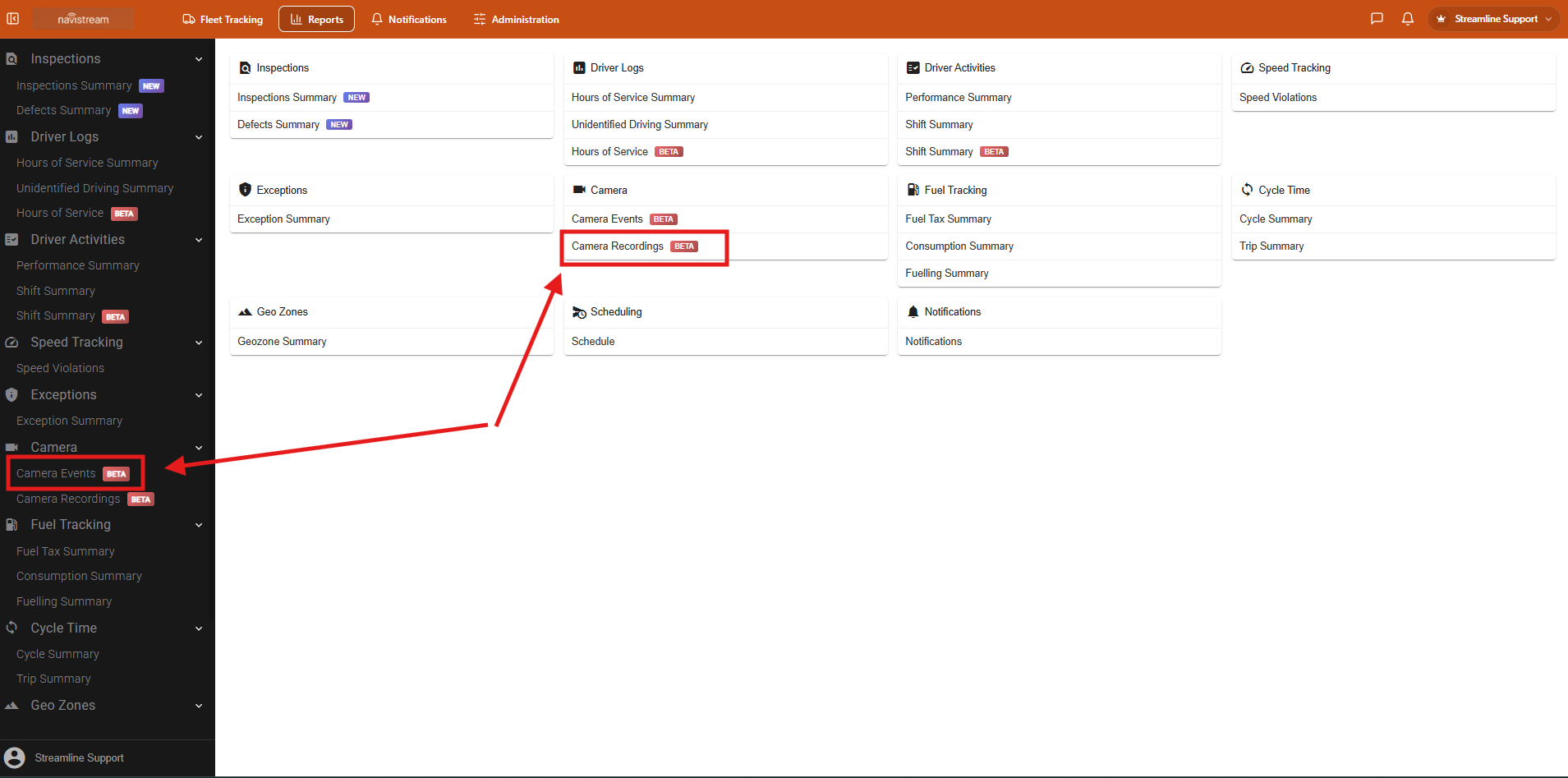
This will open the Camera Recordings page. The next step you will select the camera you are looking to review the recordings for.
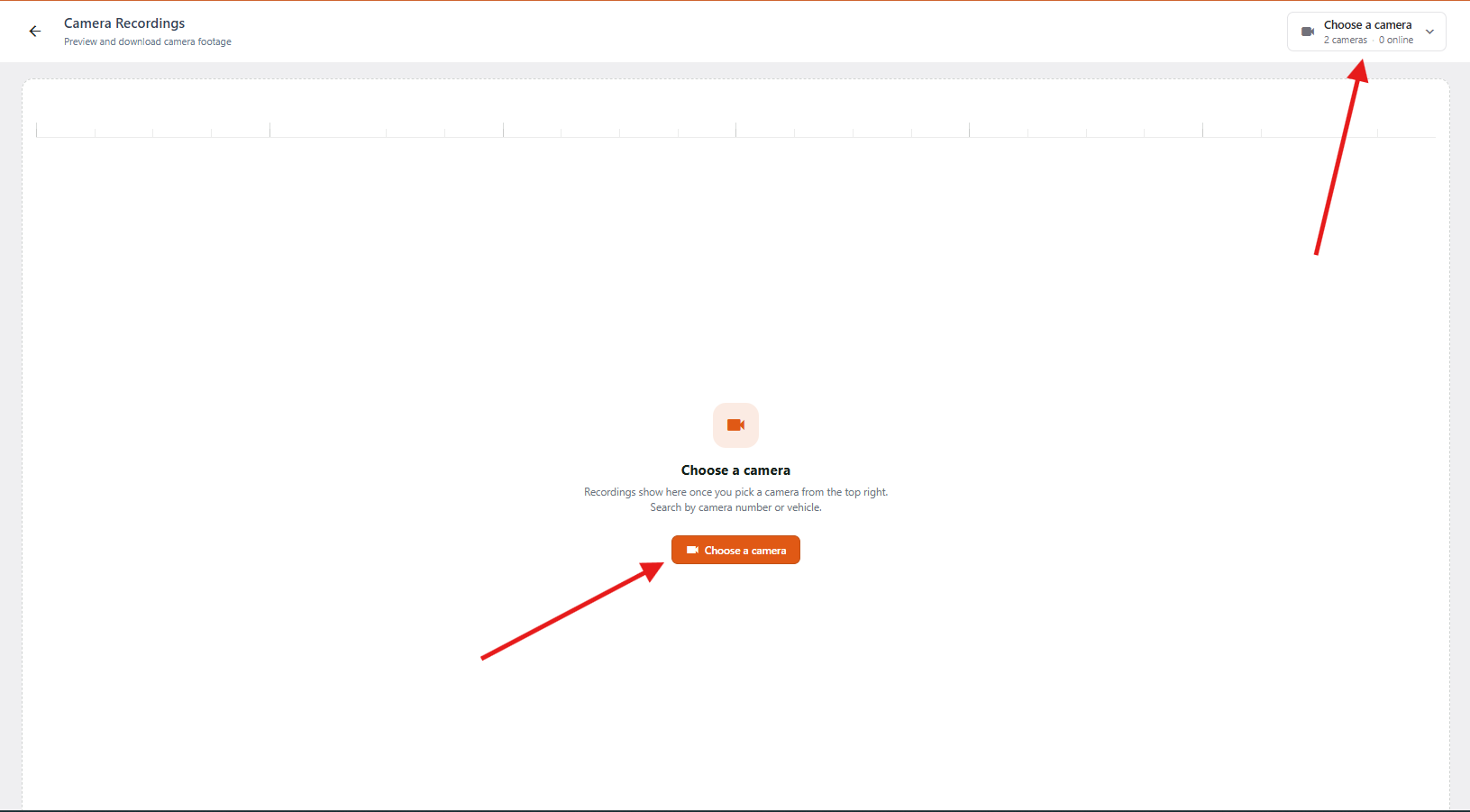
When you select Choose a Camera, a new drop-down will appear and you will be able to scroll a list of your cameras. You can also search for either the camera or the vehicle. Once you have found the camera you are wishing to review the recordings for it will have one of three statuses for the cameras:
- Online
- Camera is connected to power and cellular and recordings are able to viewed.
- Standby
- Camera was online and vehicle has not moved recently. Recordings are available to be re viewed if camera is selected as camera will wake up and move to online if the camera is in an area with sufficient cell coverage.
- Offline
- Camera is currently not online, or connected to power. Recordings able to be viewed once camera comes back online.
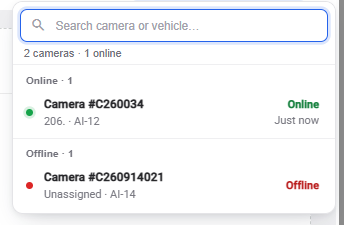
Inside the dropdown you will be able to see the Camera number, vehicle assignment, camera model and its online status. If you attempt to select a camera that does not have a camera assigned you will receive a message that the camera has no vehicle assignment and no recordings are available.
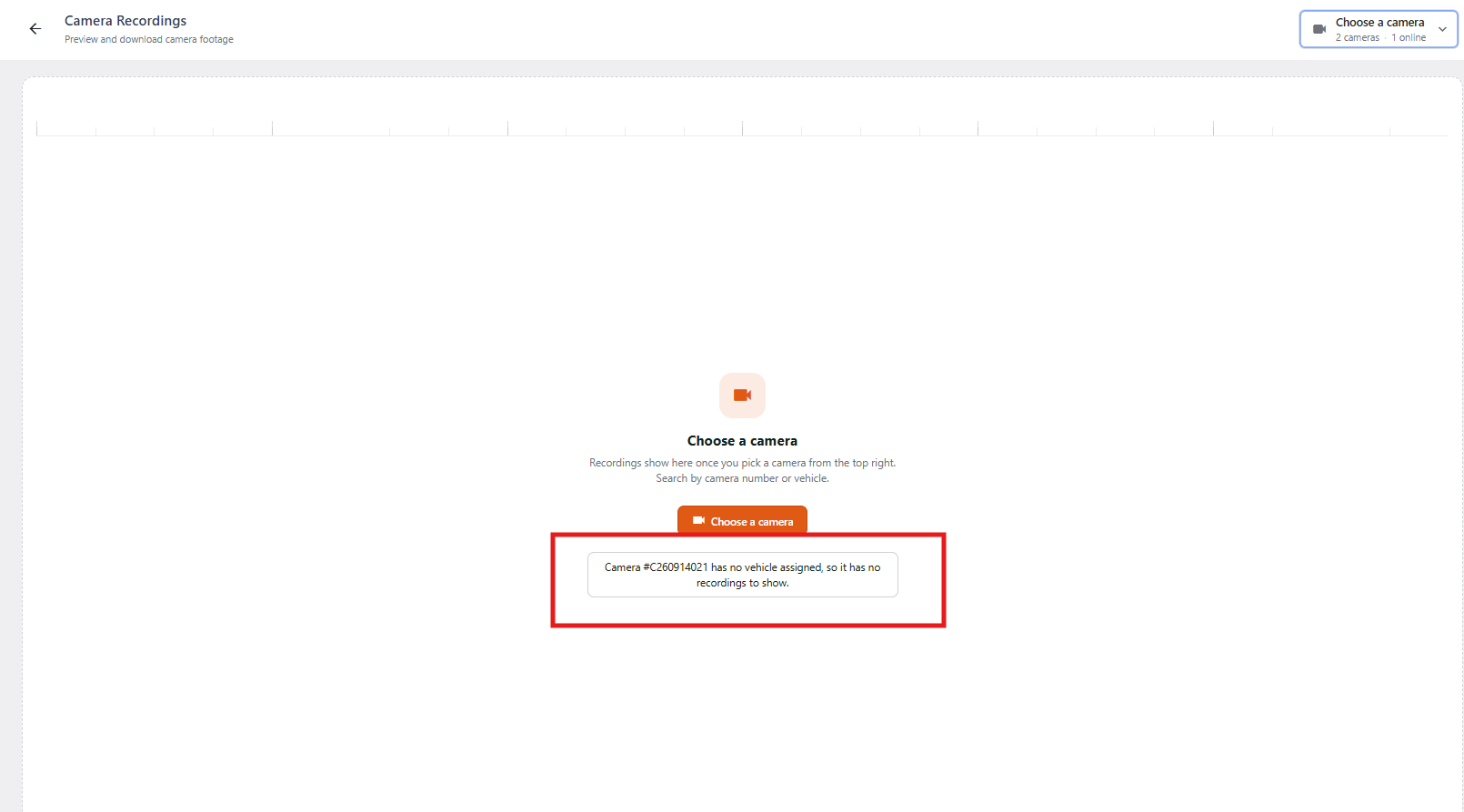
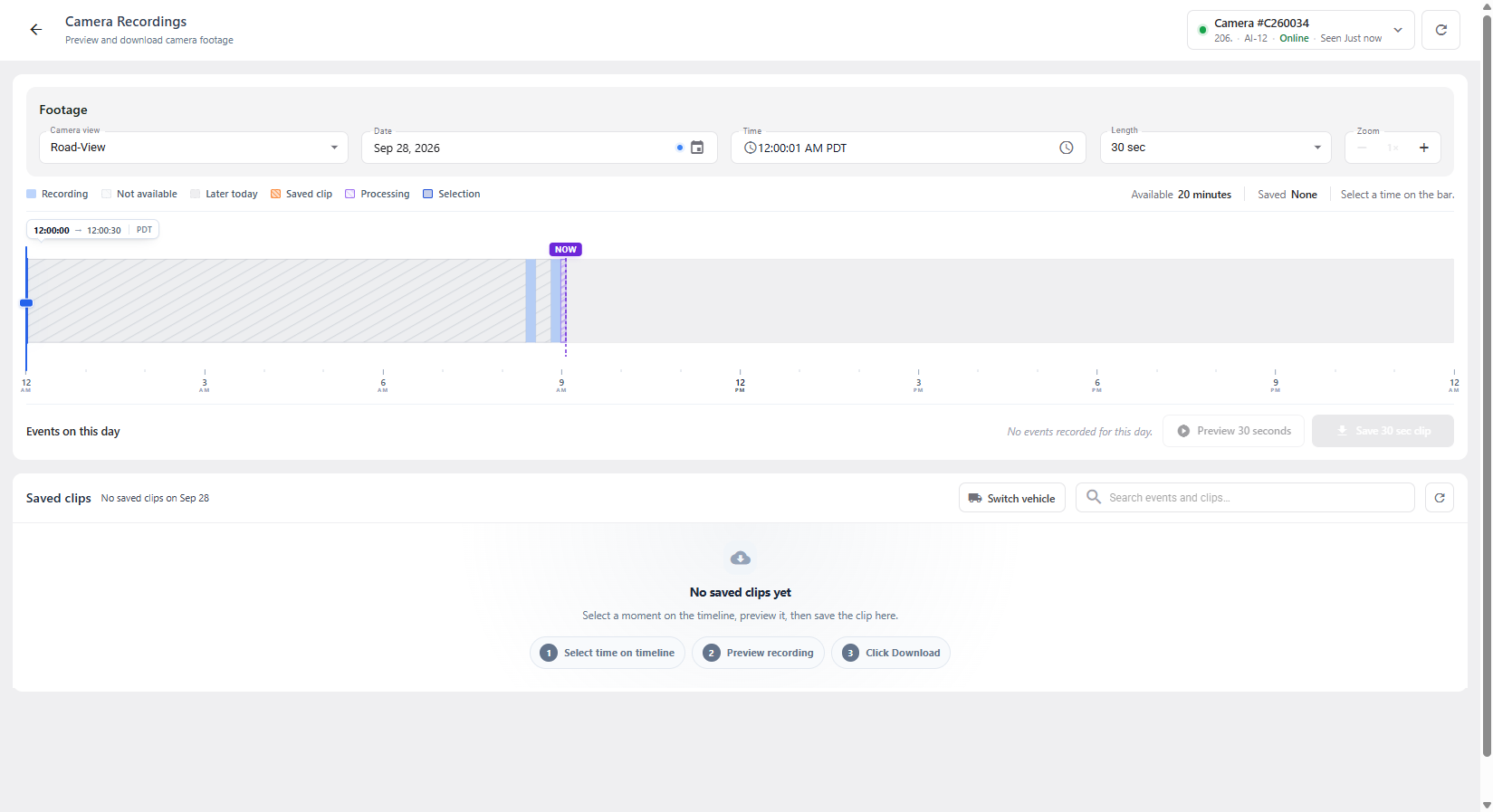
When you select the camera you wish to view the recordings for, this will open the camera recordings page for the camera. On this page you will be able to preview, or save recordings from the camera. For more information on viewing the Camera Recordings, please visit our Support Article:
How to Find, View and Download Camera Recordings
For more information on managing your Navistream Cameras, please visit our Support Article:
If you have any questions or issues accessing the Camera Recordings page, please contact Navistream Support.
Navistream Support
1(844)571-8200 Ext 2
navistream@stti.ca