
In the latest version of Navistream released on Sept 25th, we have updated the locations of the following key items
- Profile
- System Settings
- Support Portal
- About
- Logout
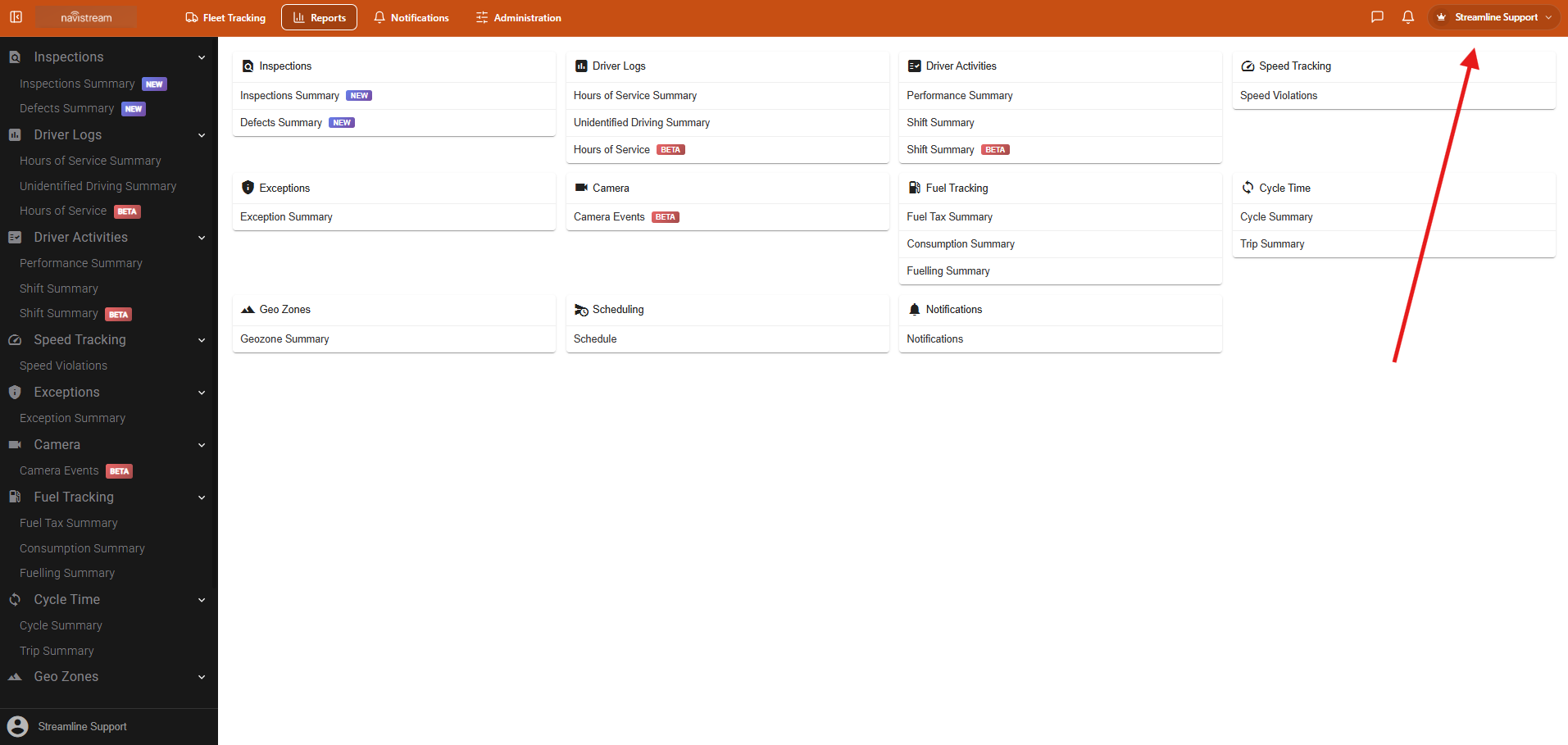
To access this new dropdown, simply select your name in the top right corner of any screen on the Navistream Web Portal.
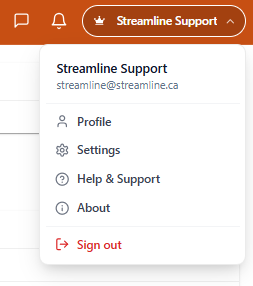
Next you will see the drop down menu showing your name and email associated with your Navistream login among the following:
- Profile: Here you can edit and update your email, name, password and phone number
- System Settings: Here you can access the Settings for Navistream. For information please view this article, How to access the Navistream web portal system settings
- Help & Support: This launched the Navistream Customer Support Portal on navistream.stti.ca. Here you can view our Knowledge Base and view your recent tickets.
- About: Here you can view your Navistream Version. For more information you can view this article, How to Check your Current Navistream Version
- Sign out: Selecting this will logout you out of the Navistream Web Portal
If you have any questions or issues about navigating the Navistream Web Portal, please contact Navistream Support.
Navistream Support
1(844)571-8200 Ext 2
navistream@stti.ca