
An “Unknown Stop” instance occurs when there is no motion detected from a vehicle’s ECM for at least 5 minutes, and there is no Vehicle Motion, “Activities” (Such as Fueling, Loading, etc.), or “Delays” (Roadside inspection, Traffic, etc.) recorded within 3 minutes afterwards.
When a vehicle with a driver in the “Driving” status comes to a complete stop, and no motion is detected for 5 minutes, a prompt will pop-up on the tablet for the driver. (Note that If the driver does not interact with the tablet for 1 minute after the pop-up is shown, they will automatically be moved to “On-Duty not Driving” status.)
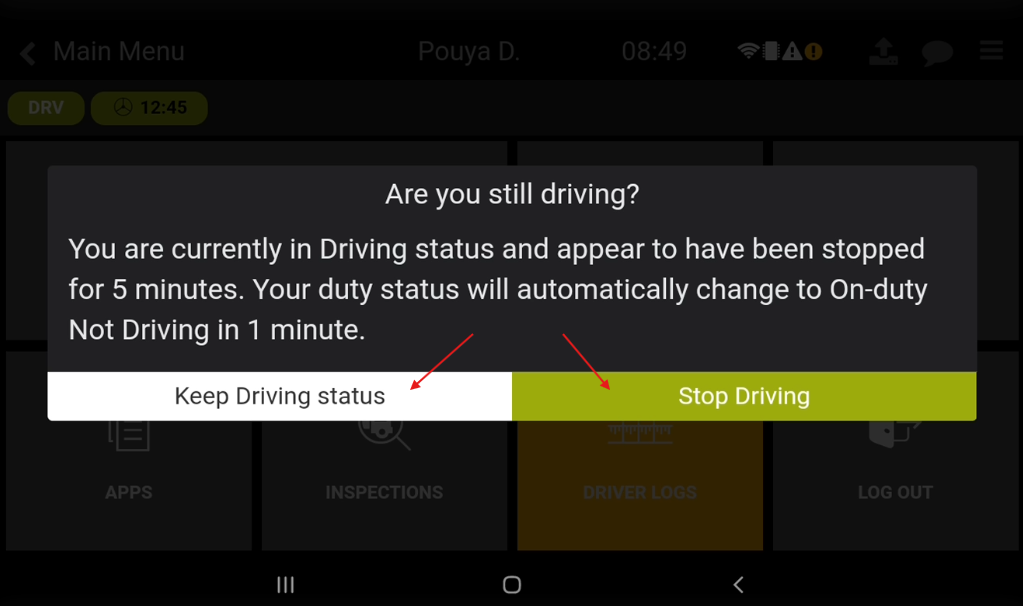
The Driver is now presented with two options: Keep the Driving Status, or Stop Driving.
If “Keep Driving Status” is chosen, the driver will continue to stay in “Driving” Duty Status, and even if there is no motion detected from the vehicle, an “Unknown Stop” instance will not be recorded in the Driver’s Shift Summary.
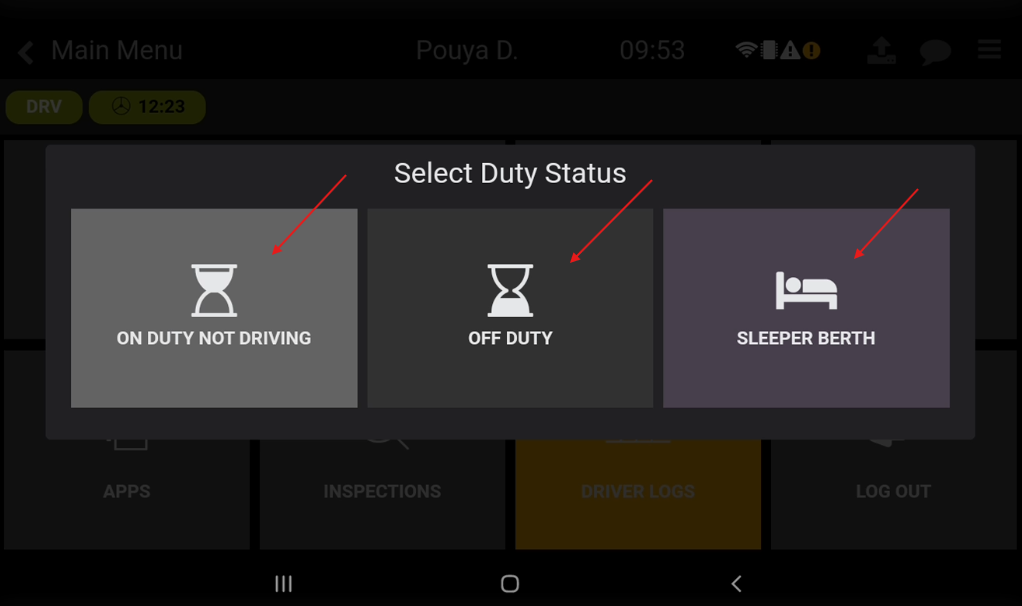
If “Stop Driving” is chosen, the driver will then have the option to move to the “On-Duty not Driving” status, “Off-Duty”, or “Sleeper Berth”. If the Driver chooses the “On-Duty Not Driving”, and doesn’t initiate an Activity, or Delay within 3 minutes, an “Unknown Stop” instance will be recorded on their Shift Summary.
The instances of "Unknown Stops" can be located on the Driver’s “Shift Summary” report.
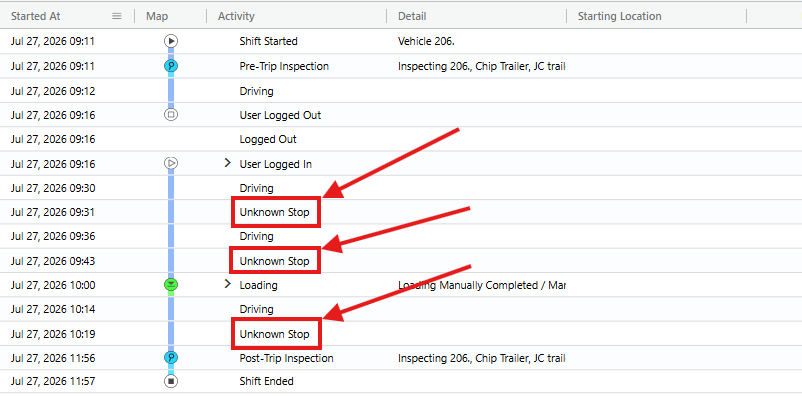
Please refer to this article on where to locate, and how to use the Shift Summary report.
Please view the attached file for additional information regarding Unknown Stops and what triggers them to appear.
If you have any questions or issues regarding Unknown Stops, please contact Navistream Support.
Navistream Support
1(844)571-8200 EXT 2