
Audible alerts on the tablet provide drivers with the opportunity to reduce their speed without taking their eyes off the road. When a driver exceeds a posted speed limit, the tablet will play two distinct sound alerts. Speed limits can be enabled across your entire organization or tied to specific geozones.
How the Alerts Work
First Tone (Warning): Warns the driver that they have exceeded the speed limit but are still within the designated Grace Period. This tone will play every 5 seconds, increasing in frequency up to every half-second until the second tone triggers.
Second Tone (Violation): Notifies the driver that a speed violation has occurred. This sound will continue to play until the driver reduces their speed below the limit, or until 5 minutes have passed if speeding continues.
Enabling Audible Speed Alerts must be done directly on the tablet. To turn on this setting:
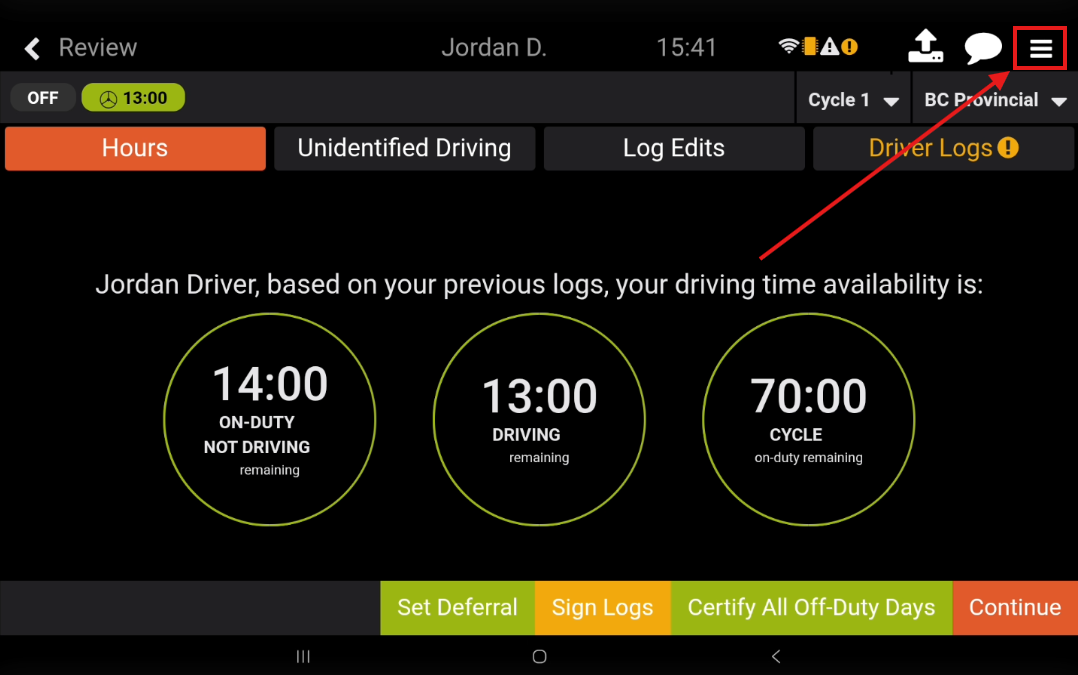
Tap the Options menu (three dots/lines) in the top-right corner of the Navistream app.
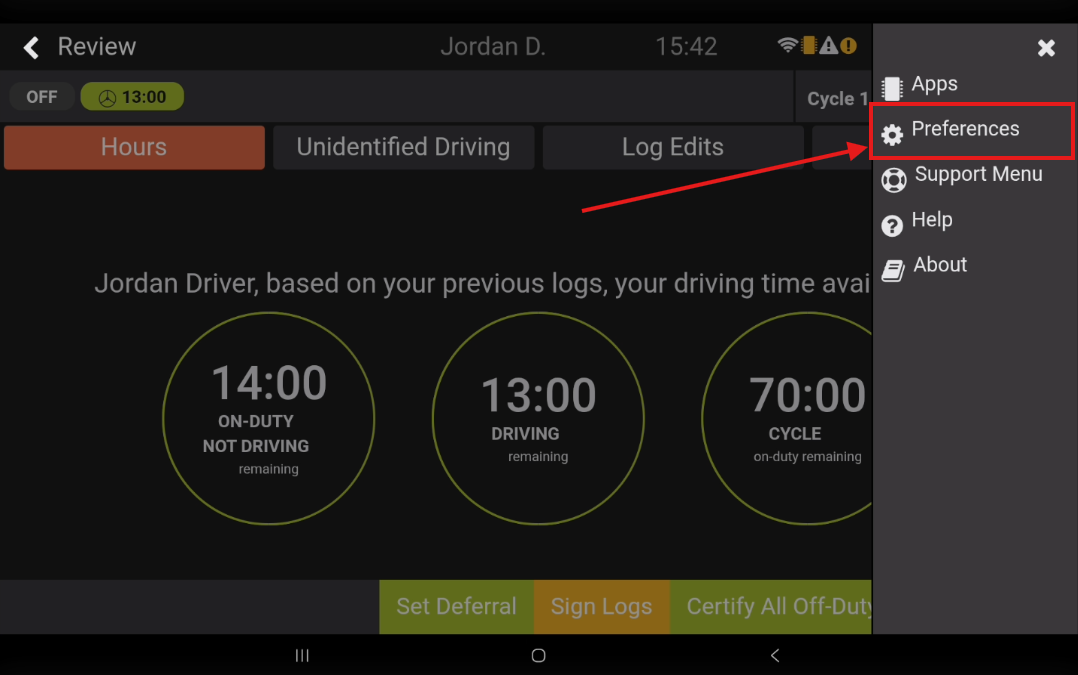
Select Preferences.
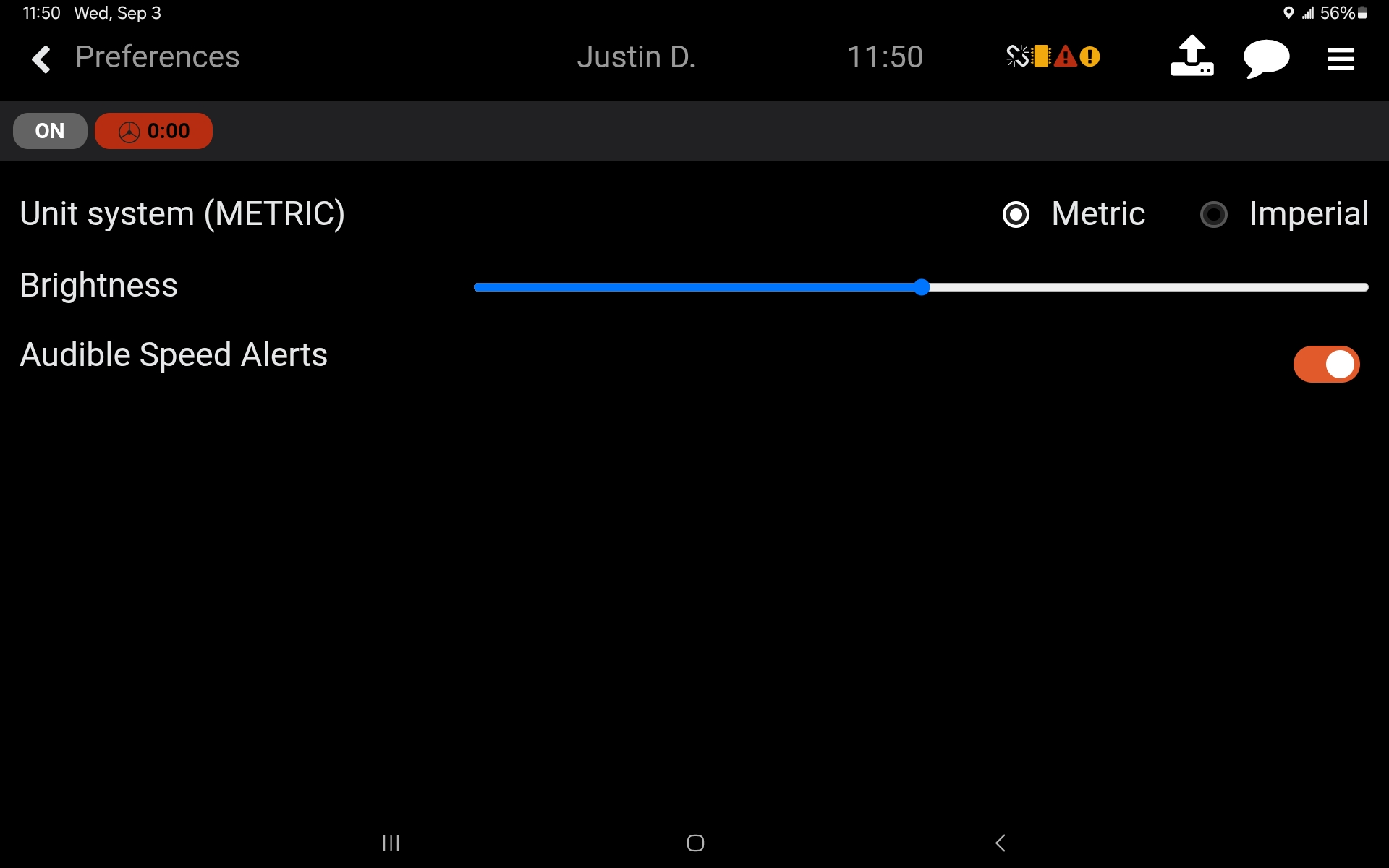
Tap Audible Speed Alerts to turn the feature on.
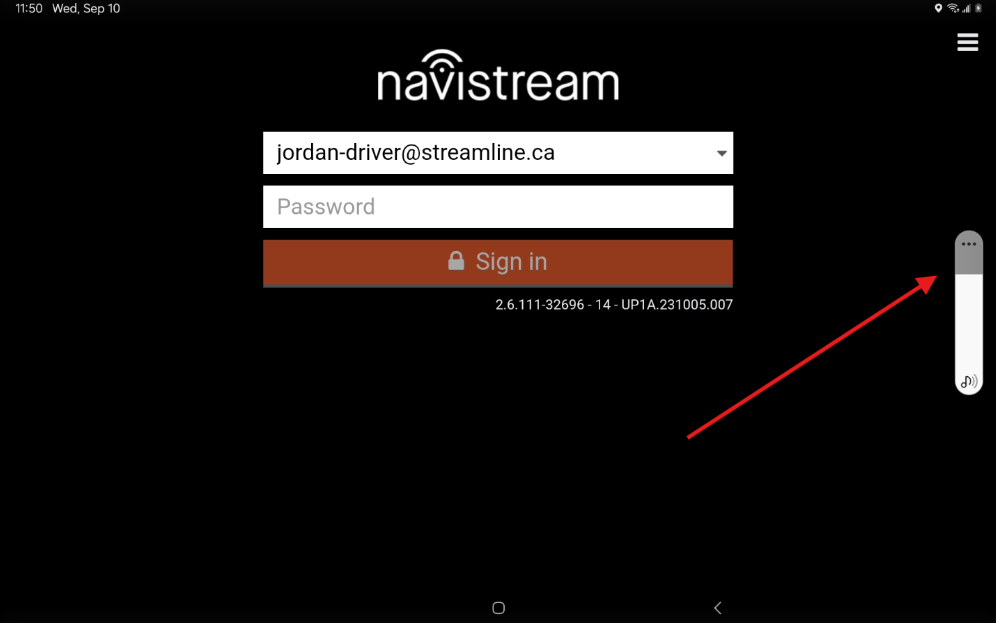
You can check your tablet's volume level by pressing either the Volume Up, or Volume Down buttons on the side of your tablet. For best results, please ensure the volume is set to the maximum by pressing or holding the Volume Up button until the volume bar has been completely filled.
For more information on speed limits for your entire organization, please view the following article:
Speed Limits and How to Create Them
For more information on speed limits within geozones, please view the following articles:
How to Create and Edit a Geozone
How to Apply Time and Date Restrictions to Geozone Speed Limits
If you have any questions regarding Audible Speed Alerts, please contact Navistream Support.
Navistream Support
1(844)571-8200 Ext 2
navistream@stti.ca