
The System Settings page contains important settings that can impact your drivers and how they interact with the Navistream application.
One of the options enables a button on the Navistream application that can be accessed through the Activities and Delays sections on the application. This button is called Open Apps.
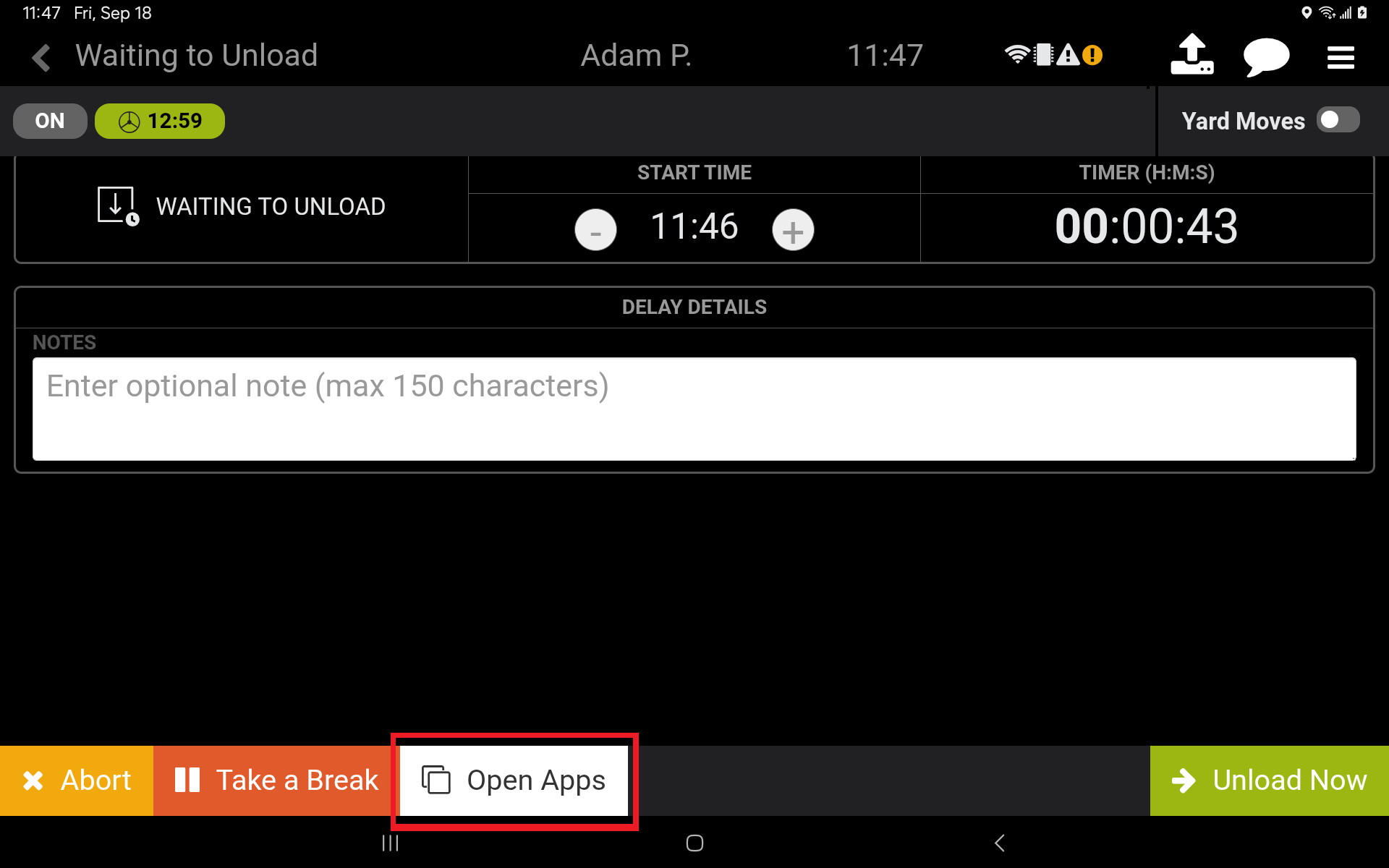
Open Apps enables the driver to access companion apps through the Activities and Delays screens.
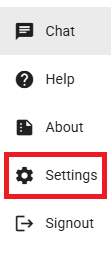
You can access the System Settings page if your user account has the Super Administrator role assigned to it. You can access this page by pressing the options button beside your user profile name in the lower left-hand side of the screen.

Then press the Settings button.
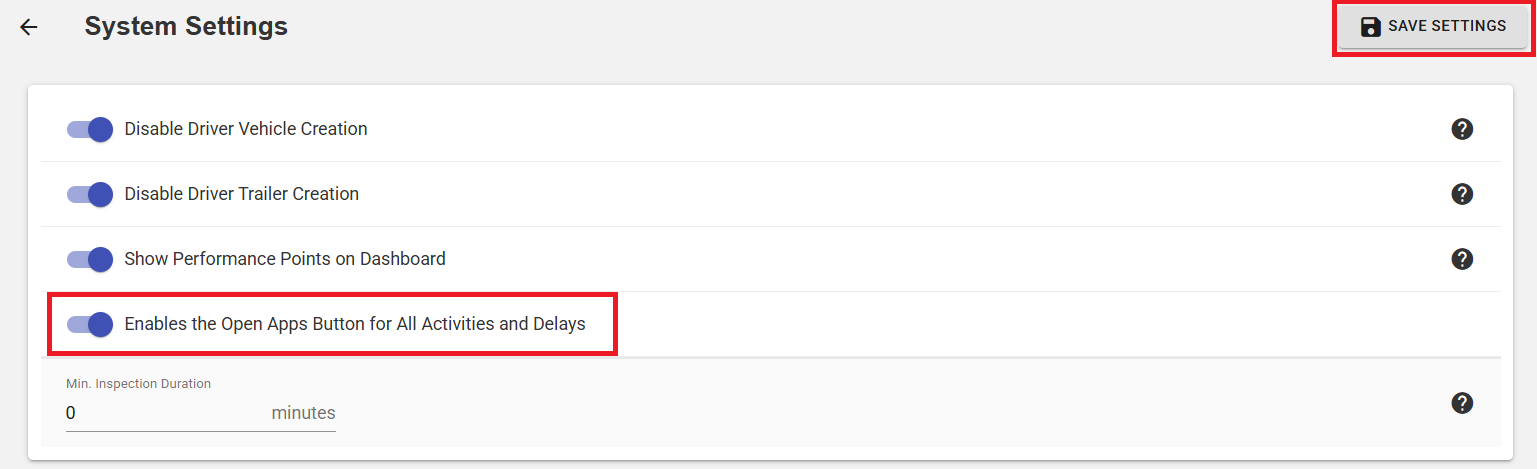
Here, you are able to enable or disable the ‘Enables the Open Apps Button for All Activities and Delays’ option. To save, select the Save Settings button in the upper-right corner.
If you have questions about how to enable or disable the Open Apps button, please contact Navistream Support.
Navistream Support
1 (844) 571-8200 Ext 2