
Your NaviLink is a vital component of your ELD system, and is necessary for your ELD to connect to your vehicles ECM. On the side of the NaviLink there are indicator lights that may be used to understand the status of the NaviLink.
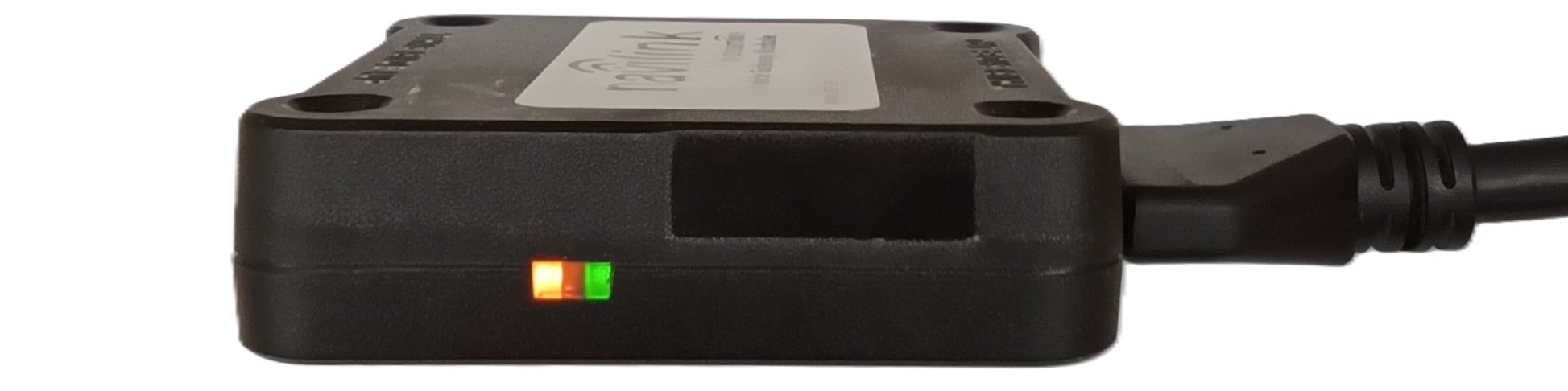
The LED indicator lights on the NaviLink provide important information on the status of the NaviLink:
 A slow flashing green LED appears indicating that the device is powered.
 A solid green LED indicates that the NaviLink is detecting data from the ECM.
 A flashing orange LED appears indicating that the internal GPS is in acquisition mode.
 A solid orange LED indicates that the signal is locked.
Note: a GPS lock is not required for pairing a Navilink to a Vehicle.
Please note that power to the NaviLink is required in order to pair it to the vehicle and to maintain an ECM connection during a driver's shift.
If you have any questions regarding NaviLink Lights, please contact Navistream Support.
Navistream Support
1(844)571-8200 Ext 2
navistream@stti.ca