
The logout flow is one of the 3 distinct workflows for Navistream. This guide will go over how to properly logout to end your shift.
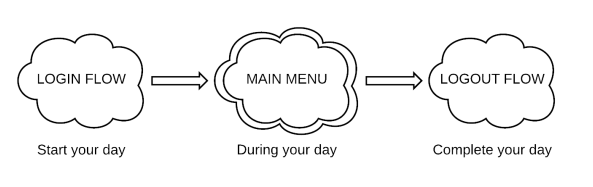
Steps To Log Out and change your Duty Status:
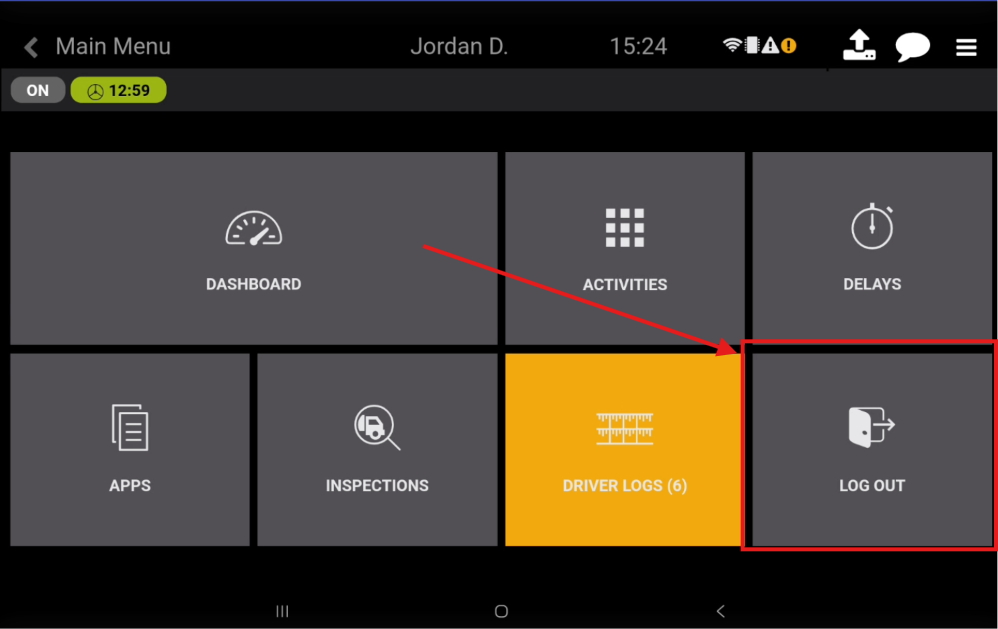
The log out flow begins on the Main Menu by selecting ‘LOG OUT’
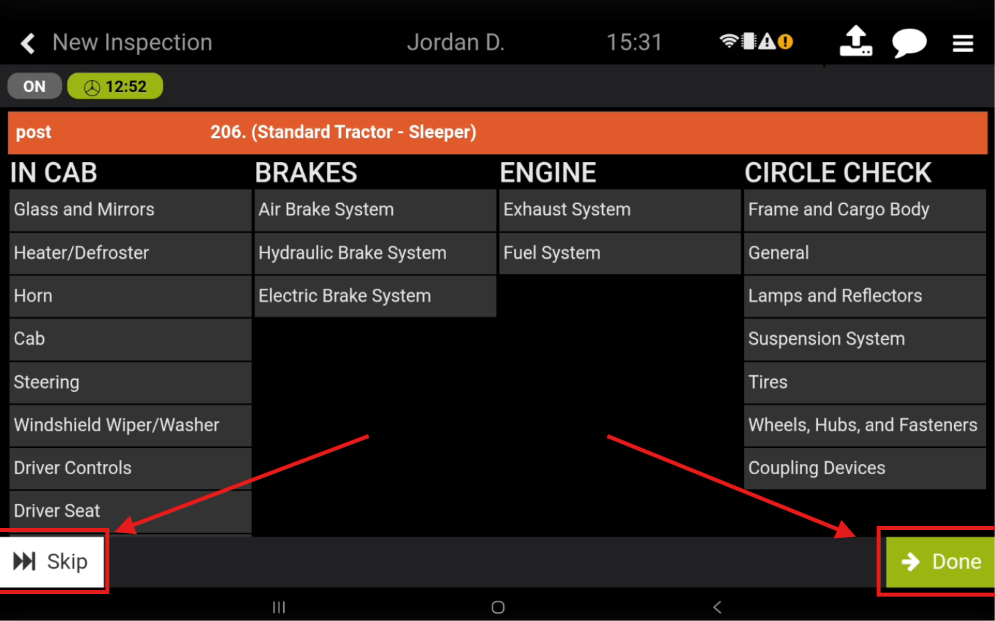
You can Skip your Post-Trip inspection, or select Done.
If you have selected Done, please complete the Post-Trip Inspection and Confirm the Safety Declaration.
If you have selected Skip, please confirm the cancellation of the Post-Trip.
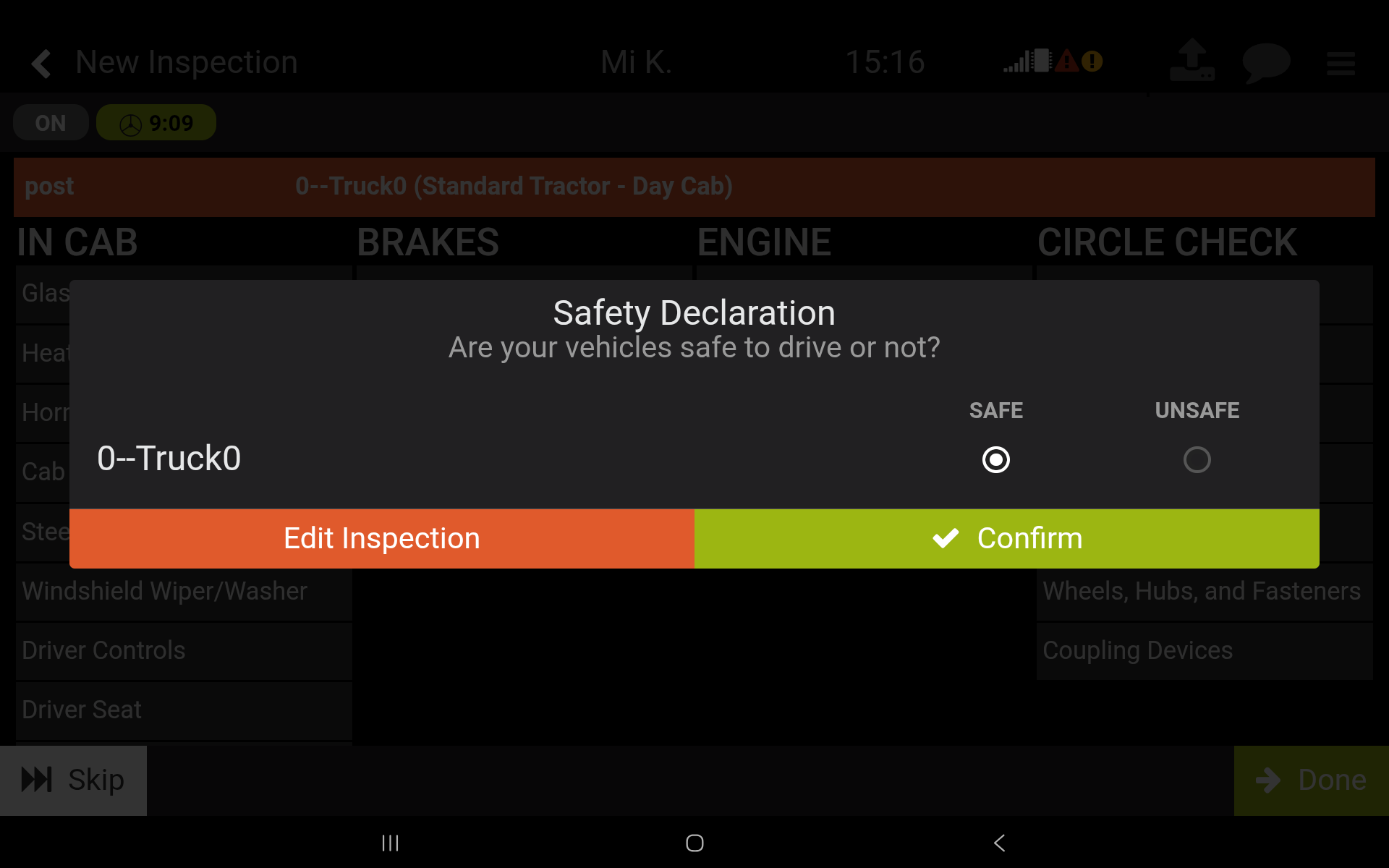
Having confirmed the Safety Declaration, click on Submit Inspection.
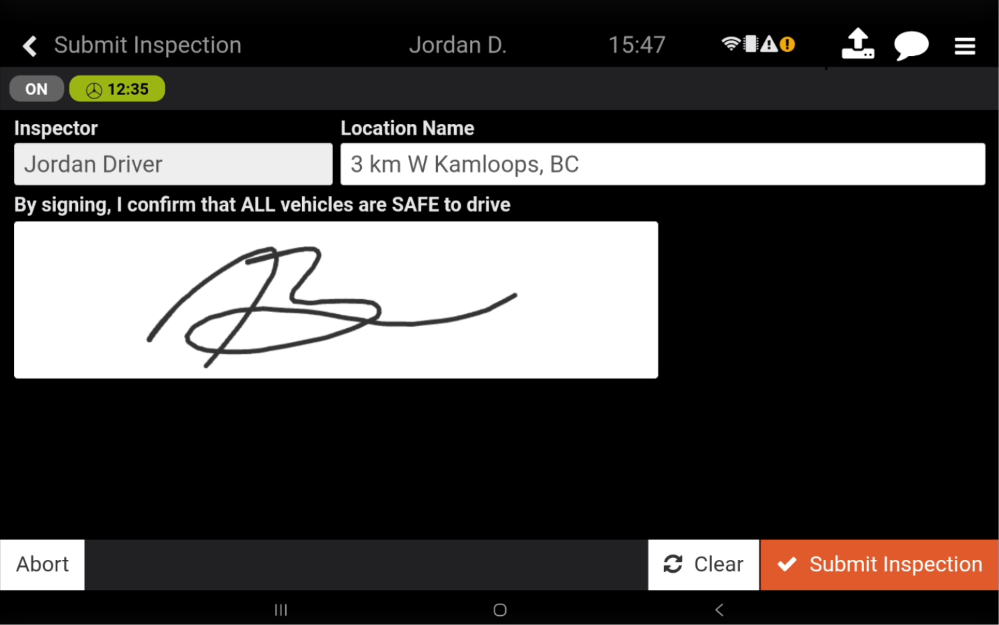
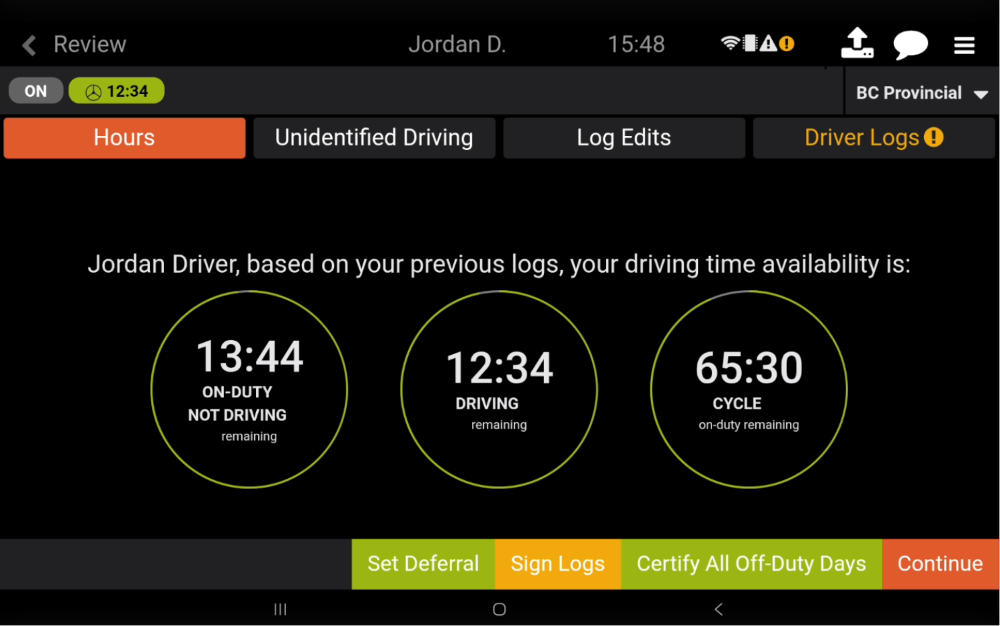
Regardless of having selected Skip or Done on the Post-Trip inspection, you will be returned to the Review screen where you can Review and Sign your logs.
If you choose ‘Continue’ without signing your logs, you will be prompted to sign.
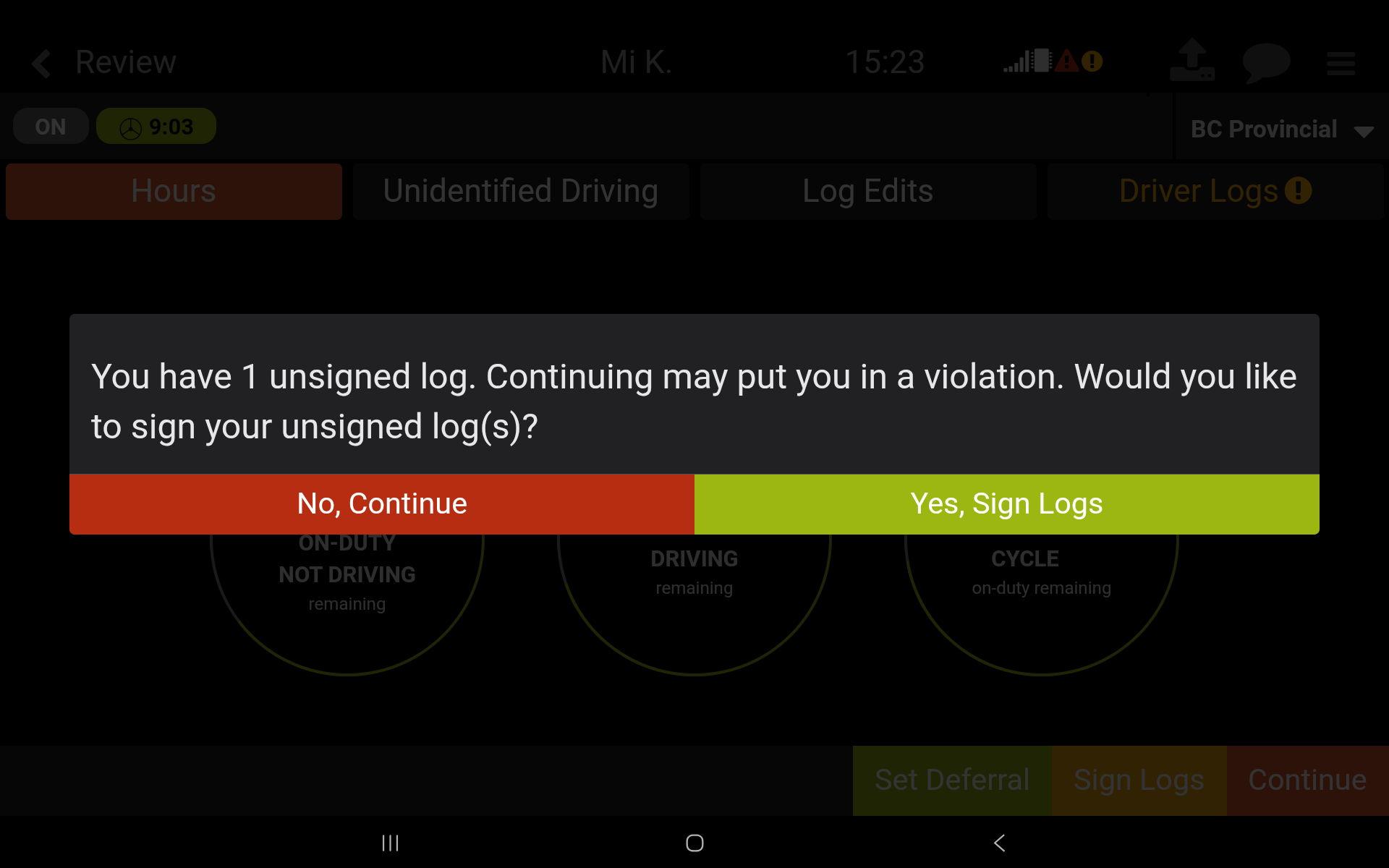
If you choose, ‘Yes, Sign Logs’ and sign your logs, you will be returned to the Review screen and can then select ‘Continue’ to proceed to the Log Out screen.
If you choose ‘No, Continue’, you will proceed to the Log Out screen.
Depending on your vehicle's configuration you may see either one of the following screenshots. If your vehicle is configured with a Sleeper Berth, you will see an option to change your status to Sleeper Berth.
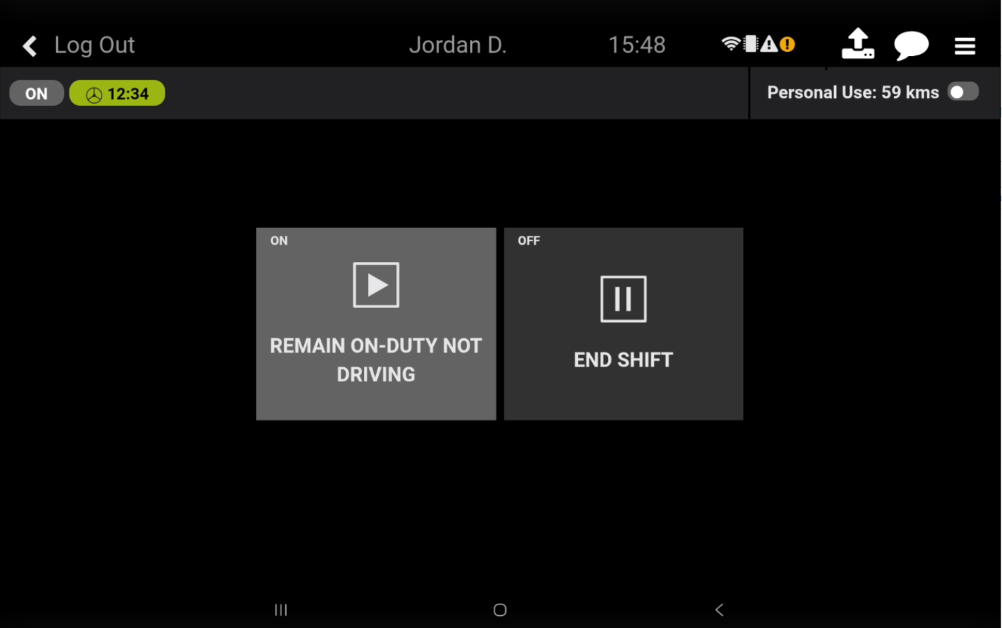
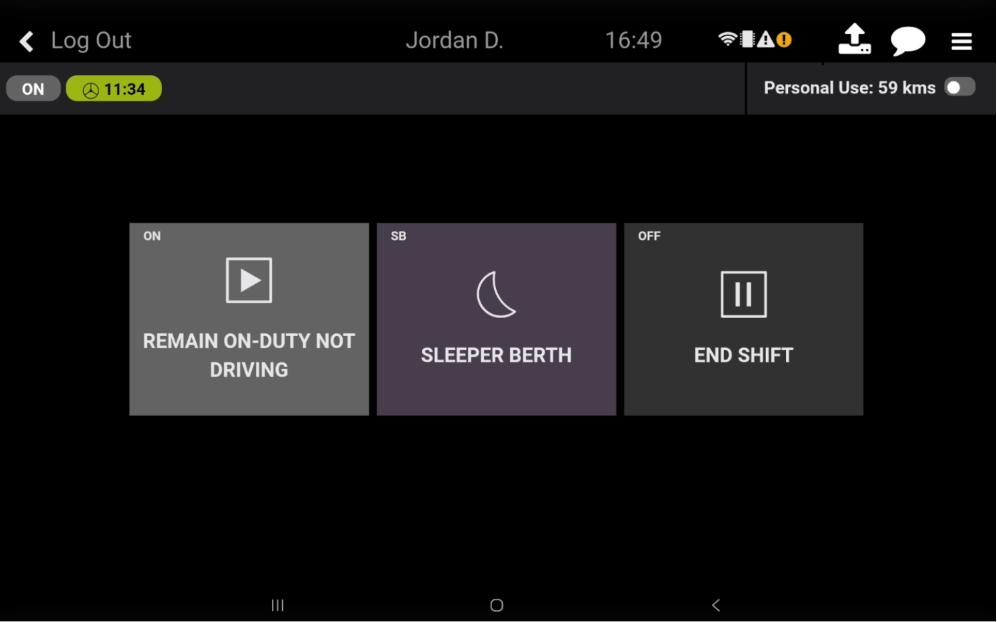
To Remain On-Duty but logged out of this vehicle, select Remain On-Duty Not Driving. This will keep you On-Duty so that you can switch to another vehicle. Your Duty Status will remain as On-Duty as Indicated by the ON in the top left of the tile.
If enabled, select Sleeper Berth to enter a special Off-Duty status for your Sleeper Berth. Your Duty Status will change to Sleeper Berth as Indicated by the SB in the top left of the tile.
If you would like to Logout and end your shift, select End Shift. Selecting this will properly log you out and end your shift. Your Duty Status will change to Off-Duty as Indicated by the OFF in the top left of the tile.
Once you have selected one of the available options at logout, you will be moved to the Login Screen for you or the next driver to log back in.
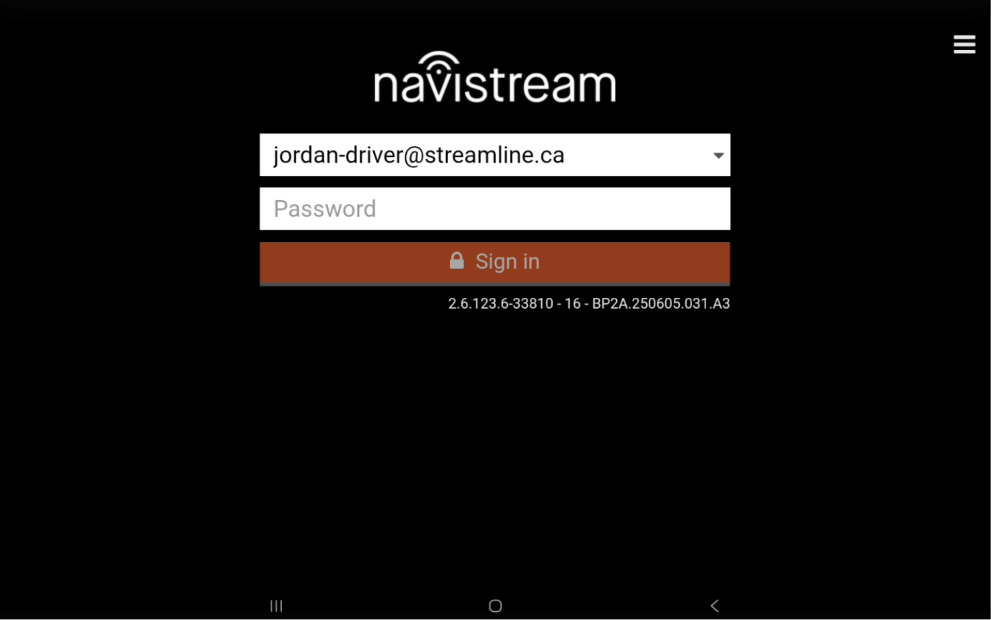
Congratulations! Once you have returned to the login screen, you have successfully logged out, and either ended your shift or moved yourself into the appropriate duty status.
If you have any questions or issues, please contact Navistream Support.
Navistream Support
1(844)571-8200 Ext 2
navistream@stti.ca