
We have added notifications to mynavistream.com. This will allow users to create notifications for themselves and be notified whenever a specific criteria is met. There are 4 main components of a notification in Navistream:
- Who is getting the notification and how they are receiving it
- Type of Notification you wish to receive.
- On which vehicle(s) is the notification being sent on
- What is the criteria for when the notification is sent
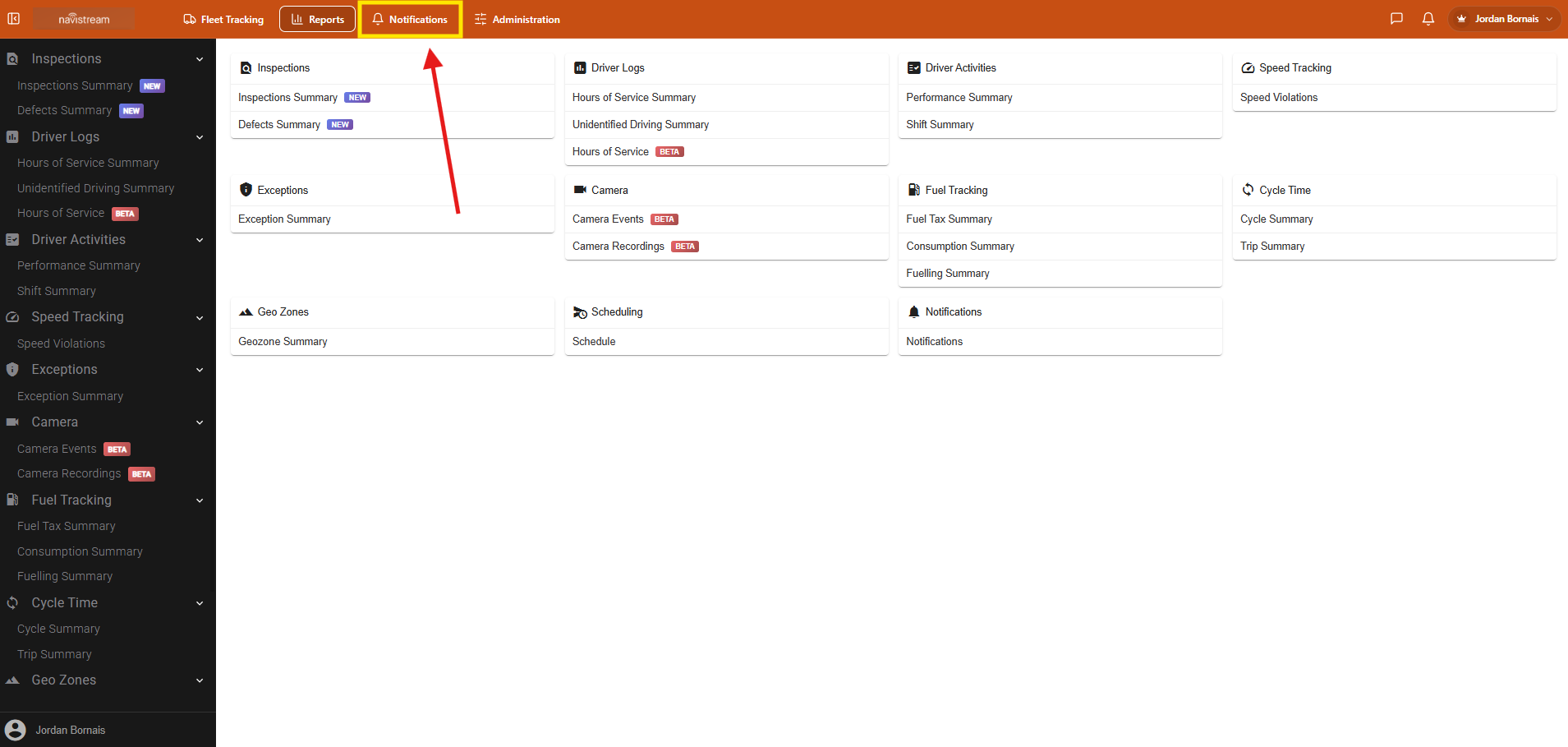
To setup a new notification or edit an existing one, select the new Notifications section under Reports.
Once selected you will be able to see any notifications that have been setup. Super Administrators can see notifications within their own organizations and other users can only see notifications set up for themself. It is highly recommended for the user receiving the notification to set it up for themself in order to configure the notification in how they wish to receive it.
You can review, filter, edit or delete any notifications on this page.
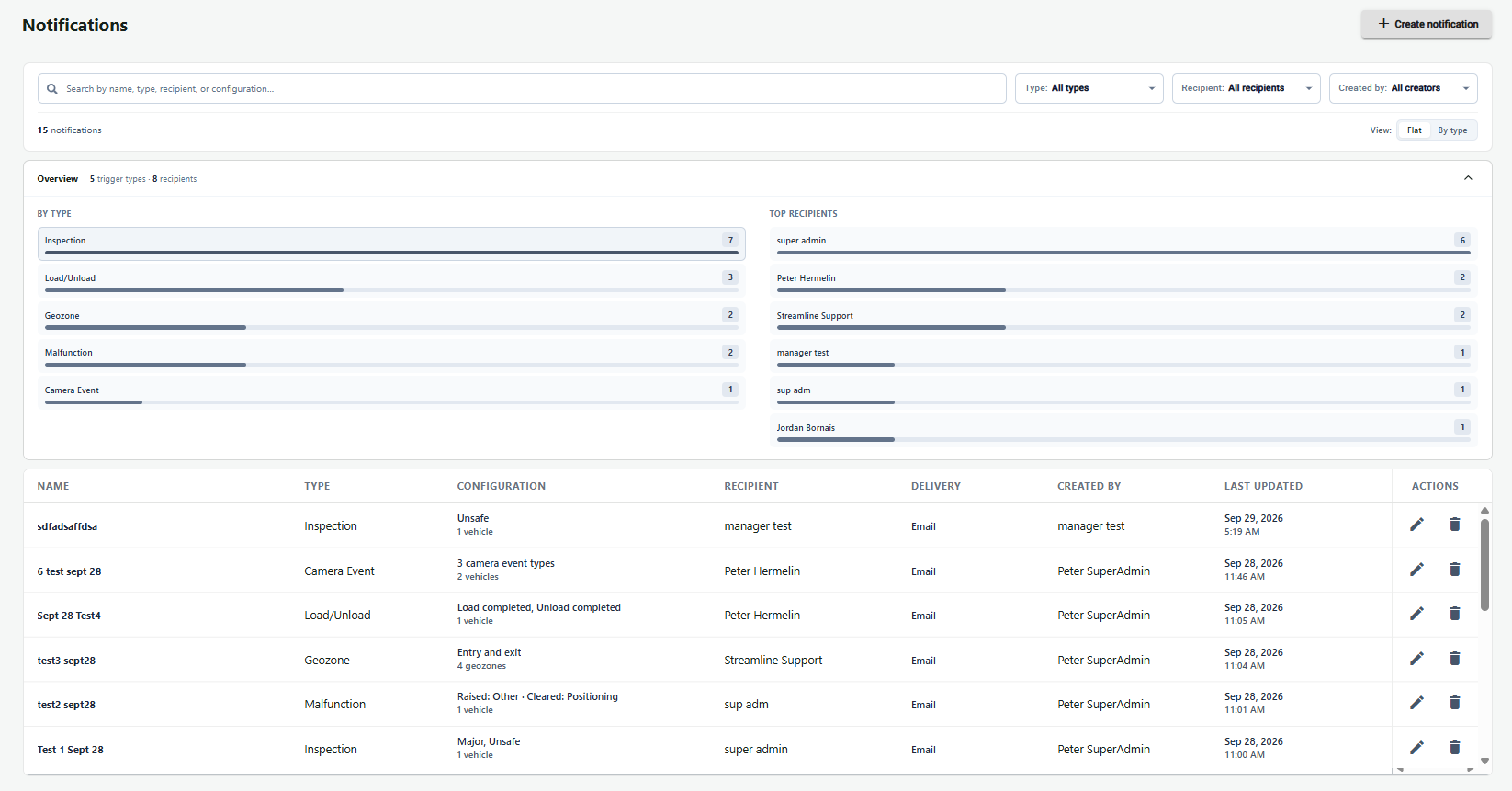
To create a new Notification, select the + Create notification button in the top right hand corner. This will bring you to the Create Notification page.
To edit an exsisting notification select the pencil icon.
To delete an exsisting notification select the trash icon. 
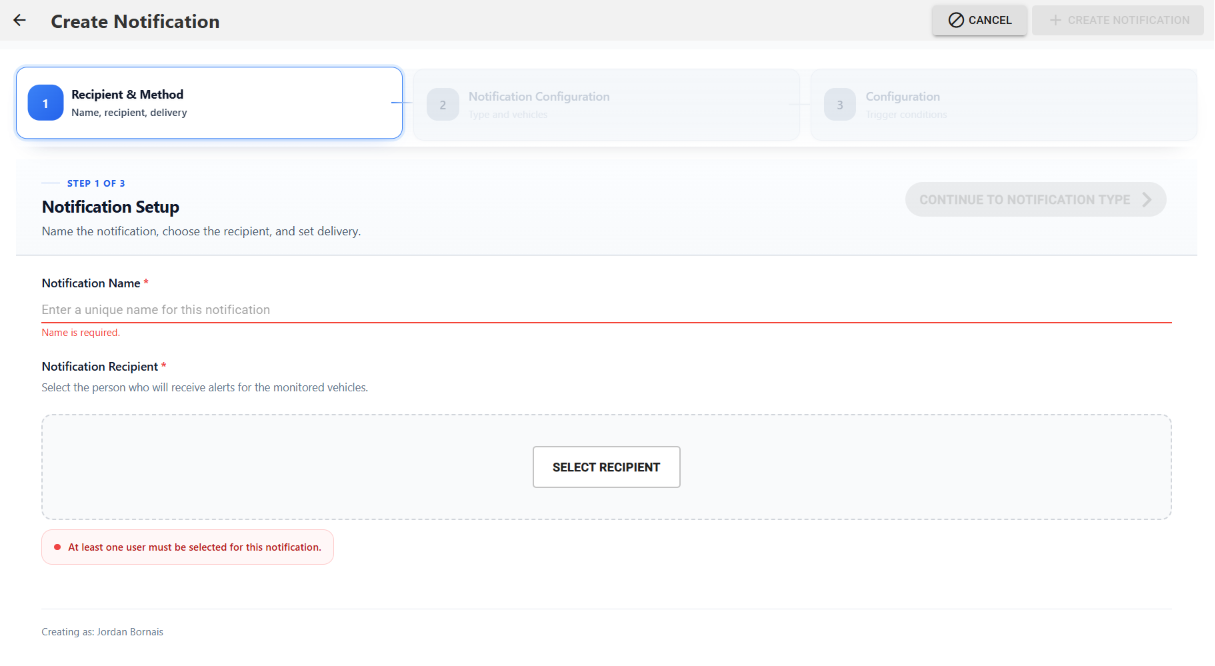
From here you will enter a name for the Notification and the recipient. Super Administrators can create notifications for other users within their own organizations, all other users can only create a notification for themself.
You will be able to select either email notification, SMS notification option coming soon.
* Note: For SMS, the phone number must be entered into the User's profile under Administration
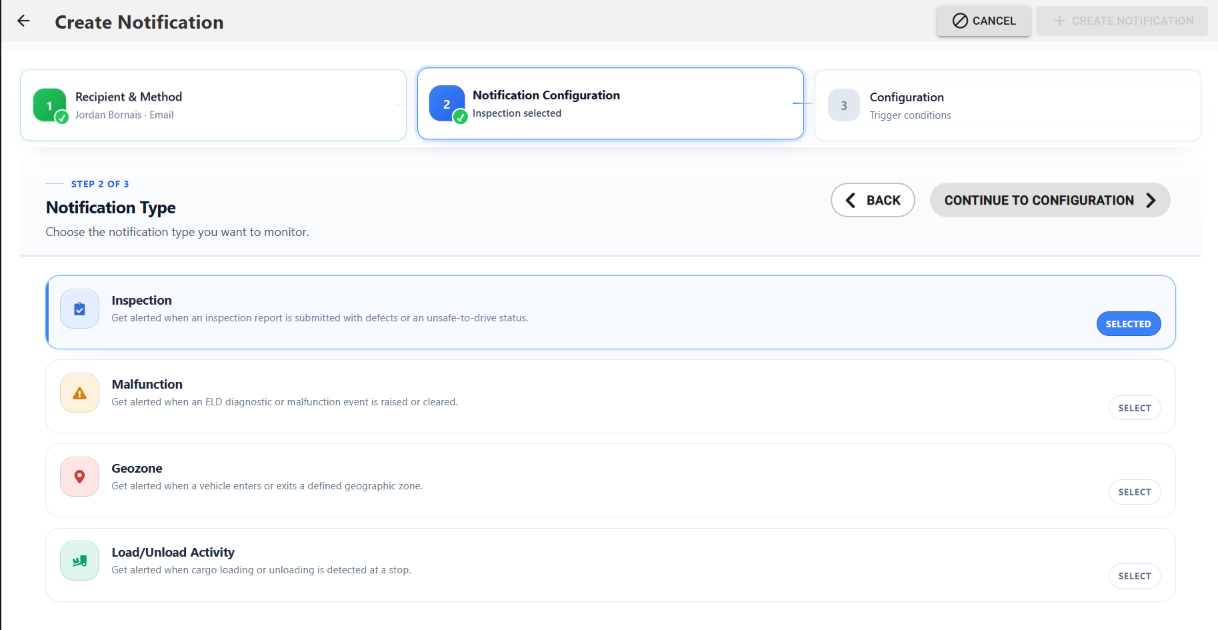
Next you will select the type of Notification you wish to receive the options are:
- Inspection: Get alerted when an inspection report is submitted with defects or an unsafe-to-drive status.
- Malfunction: Get alerted when an ELD diagnostic or malfunction event is raised or cleared.
- Geozone: Get alerted when a vehicle enters or exits a defined geographic zone.
- Load/Unload Activity: Get alerted when cargo loading or unloading is detected at a stop.
Once you have selected the type you can select "Continue to Configuration"
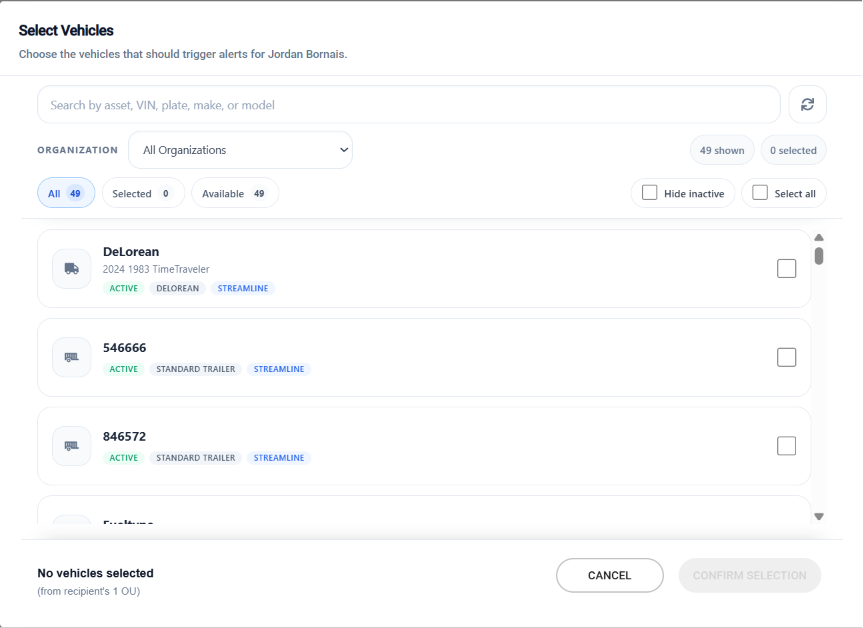
For all Notification Types the next stage will be selecting the vehicles the notification will apply to. You can select one, multiple, or all vehicles the user has access to when creating the notification. You can search vehicles by:
- Name
- VIN
- Plate
- Make
- Model
- Type of Vehicle
To select vehicles, you can click on the box to the right of the vehicle or click the Select All Vehicles option.
Lastly you will select the criteria for the notification to deliver to the recipients on. For this option we are using the Inspections option for the notification, the options for a Inspection Notification are:
- Major Defects
- Minor Defects
- Marked as Unsafe
You can select one or multiple options for this notifications stages and you will be notified when the status changes. For example if you select Major Defects you'll be notified when a new major defect is reported on an inspection or when a previously noted major defect is marked as repaired.
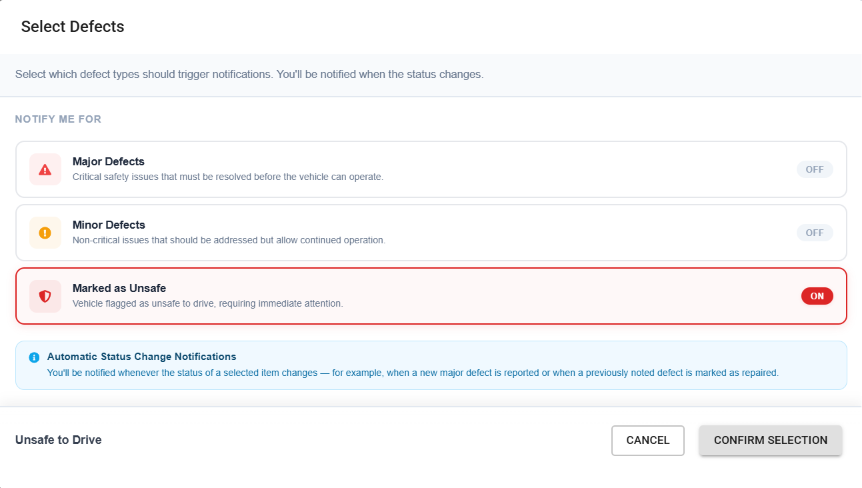
Once you have filled in all required selection you can select + Create Notification in the top right hand corner and the Notification will be created. Now whenever a notification has met the entered criteria the user will receive the notification. For this example if you selected Marked as Unsafe. Whenever a driver marks a vehicle that was selected in the vehicle selection page as unsafe all selected users will receive a notification either by email.
If you have any questions please reach out to Navistream Support .
Navistream Support
1(844)696-8200 extension 2.