
The collection of Engine Control Module (ECM) data is a mandatory requirement for maintaining compliance as a certified Electronic Logging Device (ELD). It continuously records critical vehicle telemetry such as engine power status, vehicle motion, total distance driven, and engine hours to ensure accurate driver log reporting.
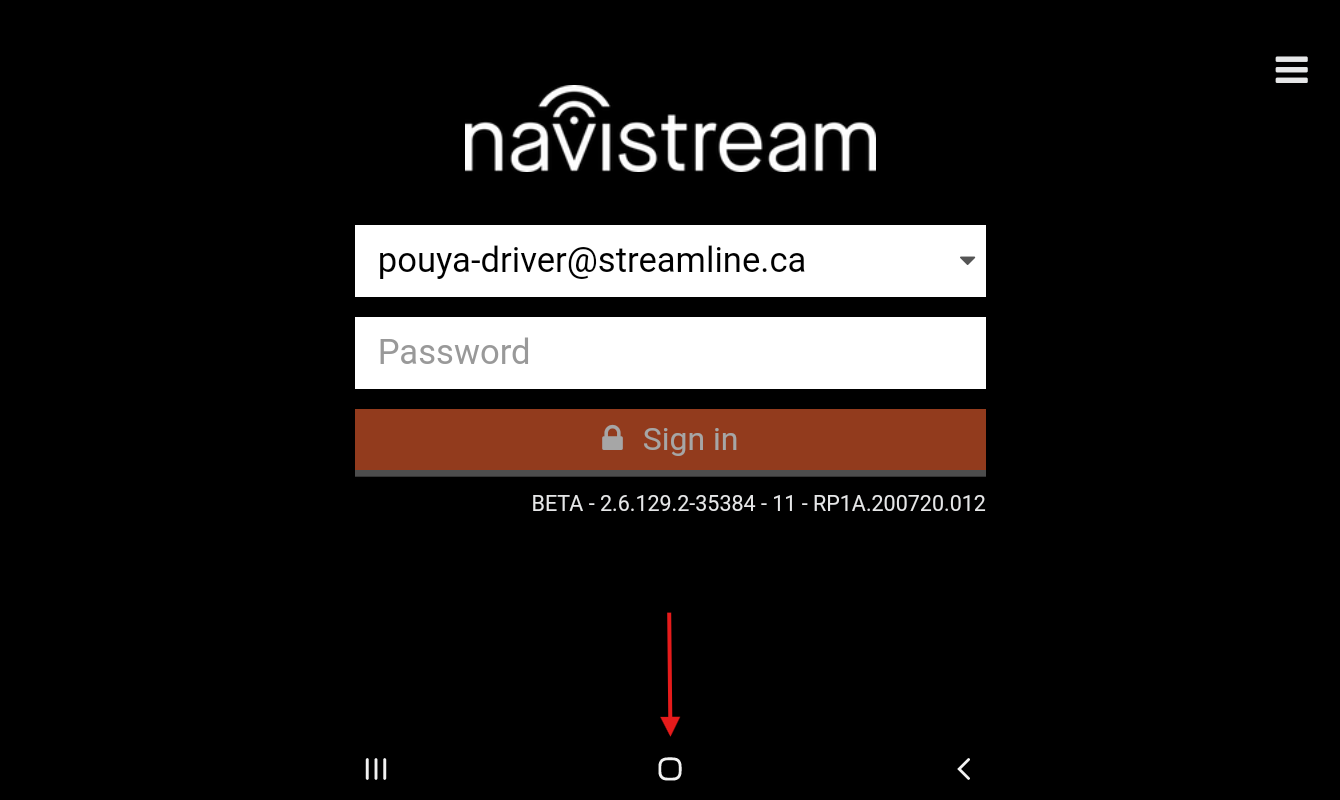
If you suspect a lack of ECM connection, and are not able to log in to your Navistream driver app, you can check your ECM connection by tapping the Hamburger menu button ( ), Selecting Support Menu, and then Selecting INFO. Here you can check your ECM connection under ECM.
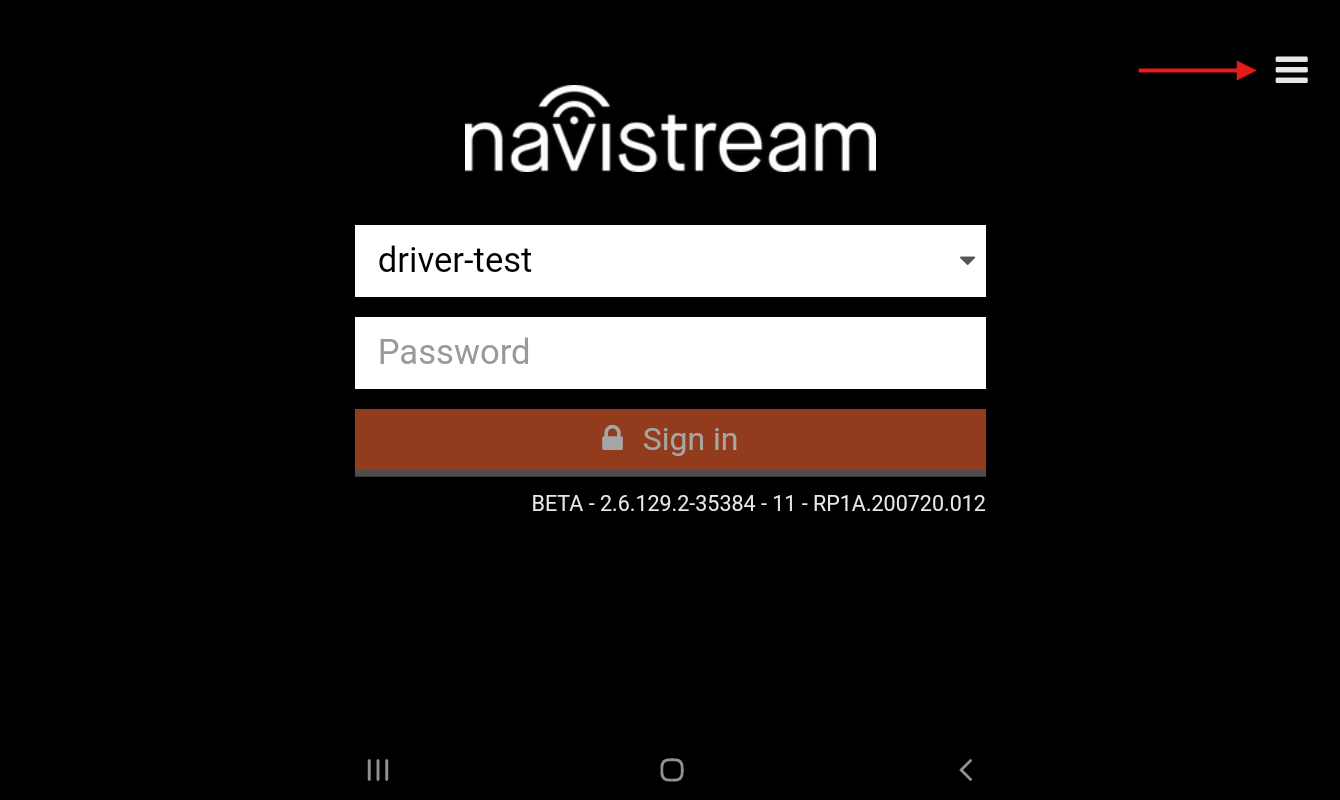
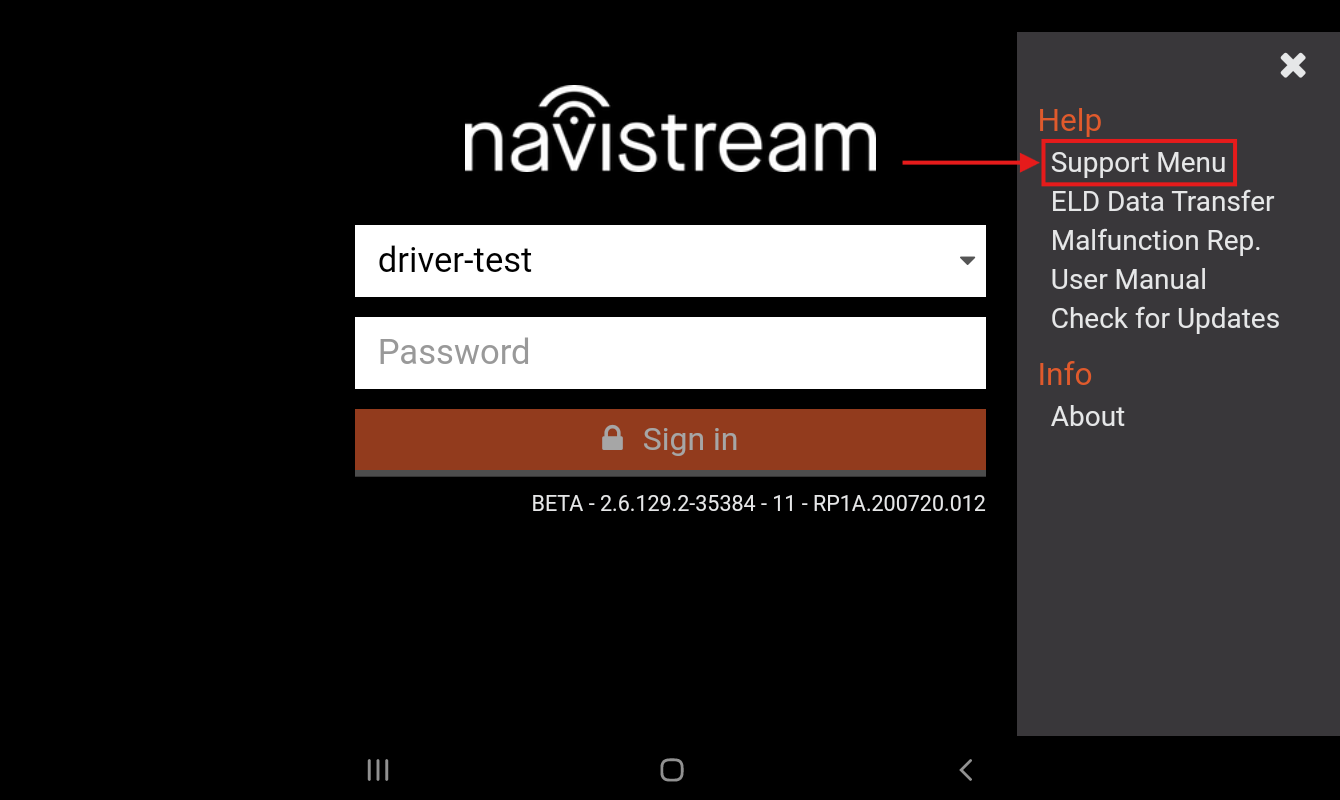
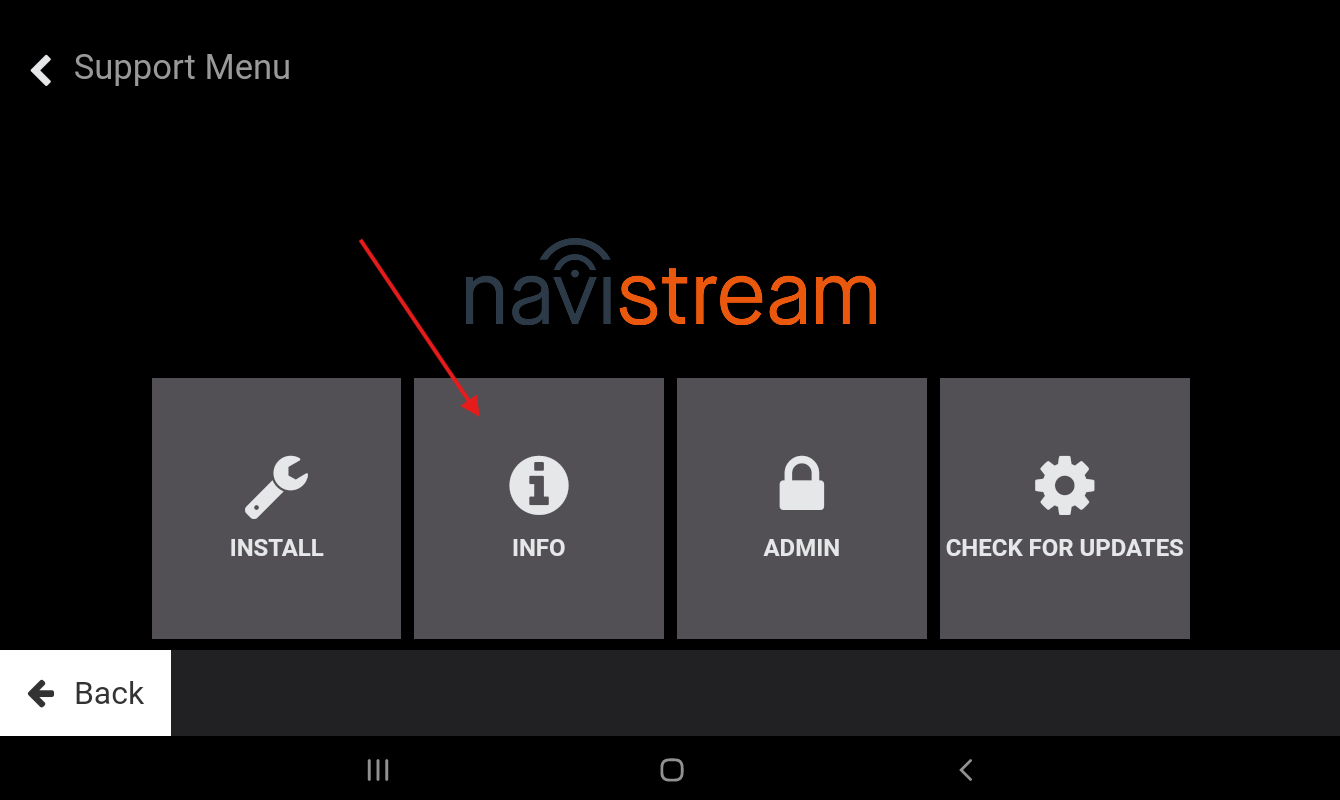
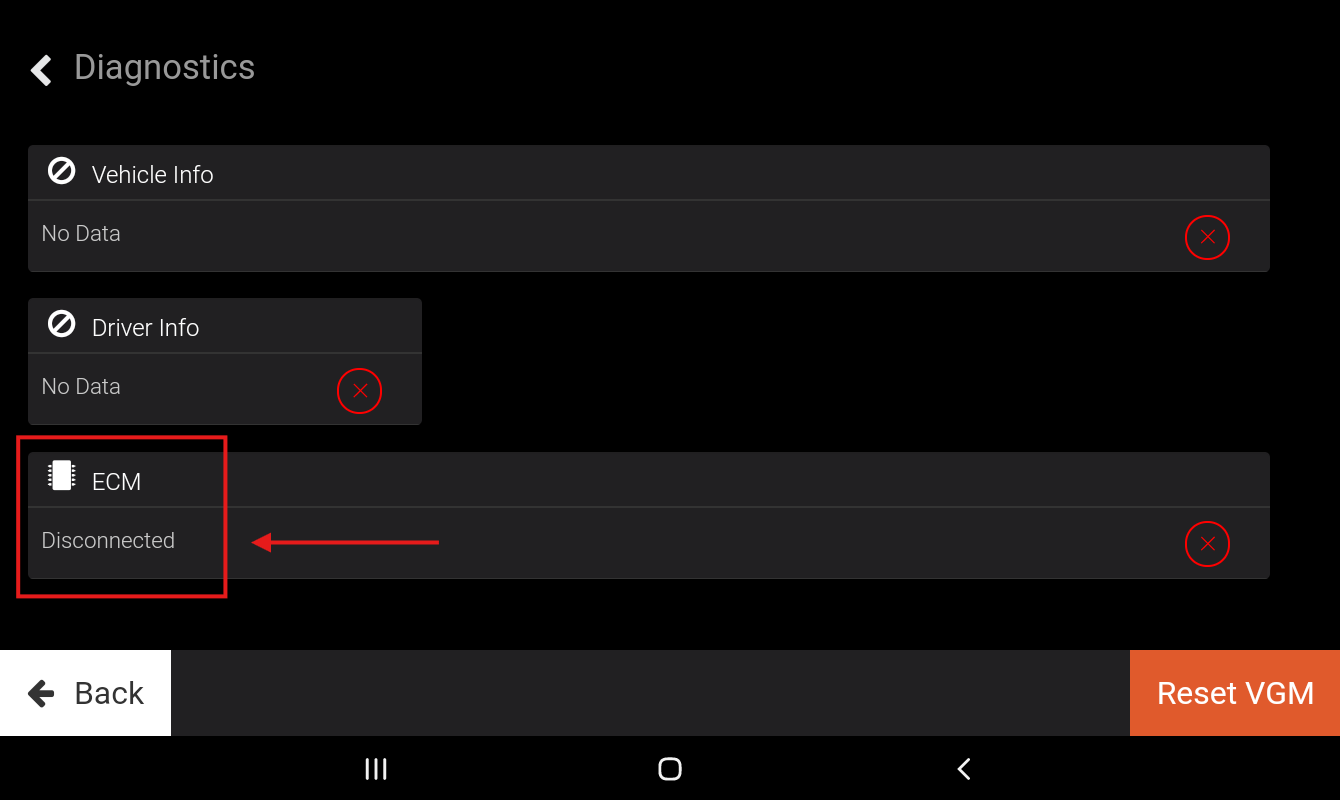
Please note that if the Hamburger Menu button is not visible on your Navistream Driver App, you can access the Support Menu by rapidly tapping the square shaped Home Button of the Android’s Navigation bar Seven (7) times.
To troubleshoot a lack of ECM connection, please refer to this article.
If you have any questions or issues checking your ECM connection without logging in to your Navistream Driver App, please contact Navistream Support.
Navistream Support
Phone: 1(844)571-8200 EXT 2
Email: navistream@stti.ca